
IT

Windows 10 ile ekranı kablosuz TV’ye yansıtma

Windows 10 ile ekranı kablo kullanmadan TV’ye yansıtmak artık çok daha kolay, bilgisayarınızın ekranını TV’lere, projektörlere ve akış yapılan medya yürütücülere kablo kullanmadan yansıtıyor olacağız. Bu özelliği kullanarak bilgisayarınızda yaptıklarınızı paylaşabilir, bir slayt gösterisi sunabilir veya sevdiğiniz oyunu daha büyük bir ekranda bile oynayabilirsiniz.

İlk olarak bağlantı sağlayacağınız her iki cihazın da belirli bir mesafede olması aynı zamanda ise iki cihazinda internete erişebiliyor olması (genellikle aynı odada olmaları manasına gelir) gerekir.

Windows 10 işletim sistemimizin görev çubuğunun sol tarafındaki Notifications simgesine tıklıyoruz. Yâda Parmağınızı ekranın sağ tarafından içeri doğru kaydırın. Aşağıdaki ekranı göreceksiniz. Ayrıca Start – Settings – Devices yolunu kullanarak işlemlerinizi yapabilirsiniz.
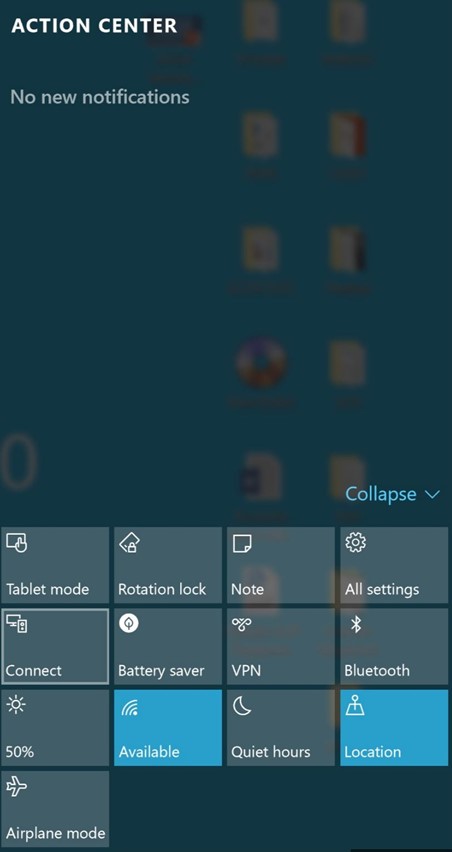
Karşımıza gelen ekranda ise Connet butonuna tıklıyoruz.
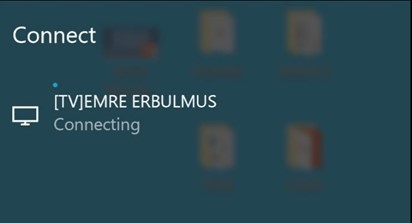
Sonrasında bize bağlantı kurabileceğimiz ürünü gösteriyor.
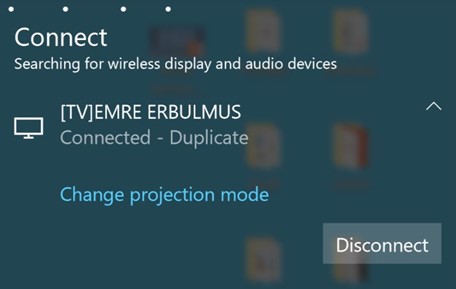
Bulmuş olduğunu [TV]EMRE ERBULMUS’a tıklıyoruz.
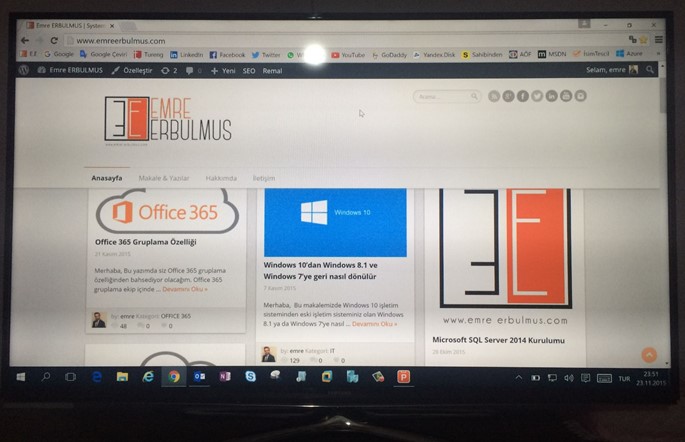
Görüldüğü üzere Samsung markalı televizyonumuza kablo kullanmadan ekranımızı yansıtmış bulunuyor.

Teşekkürler.

I was born in Istanbul. I completed my high school education in system network engineering, my university studies in Computer Technology and Programming Sciences, and earned a four-year degree from Anadolu University. As an experienced technology consultant, I have gained extensive experience in the field of information technology for over 10 years. I have worked in both large corporate companies and small-scale startups, specialising in providing strategic technology solutions to clients across various industries. During this time, I have developed into a determined and reliable IT consultant, covering the entire technology field, including project management, training, and pre- and post-sales support for corporate solutions. I have both individual and team-based experience in management, implementation, and design in areas such as cybersecurity, endpoint security, data security, cloud migration, and infrastructure. As a result, I always use the phrase “It can be better” in every situation I encounter. I currently work as a “Cyber Security Principal Expert ☁” at Koçsistem, Microsoft’s top partner. My skills and abilities Cloud Computing Architecture Microsoft 365 Migration and Management Azure Infrastructure Modern Workplace Digital transformation Microsoft 365 Exchange Online EOP ( Exchange Online Protection) Microsoft Defender for Office 365 Microsoft Defender for Endpoint Microsoft Defender for Cloud Apps Microsoft Defender for Cloud Microsoft Defender for Identity Microsoft Intune Microsoft Sentinel Microsoft Teams Hybrid Solutions Mobile Device Management and Mobile Application Management. Data Loss Prevention and Protection Microsoft Information Protection Cloud Identity and Access Management Solution MS Windows Server Family Microsoft Client Windows 11 Management of Hyper-v and VMware Virtualization Platforms Active Directory configuration and management Exchange Server configuration and management Veeam Backup installation and configuration WDS,MDT configuration and management Certificates ; MCT: Microsoft Certified Trainer 2019-2020 MS: Designing and Providing Microsoft Volume Licensing Solutions to Large Organizations MCTS: Designing, Assessing, and Optimizing Software Asset Management (SAM) MCPS: Microsoft Certified Professional MCSA: Windows Server 2012 MCSE: Private Cloud WMSP: Veeam Sales Professional VMTSP: Veeam Technical Sales Professional Coursera-Cybersecurity Solutions and Microsoft Defender Coursera-Cybersecurity Management and Compliance Google – Google Professional Cloud Architect

Bir yanıt yazın

E-posta adresiniz yayınlanmayacak. Gerekli alanlar * ile işaretlenmişlerdir