MİCROSOFT AZURE

Azure Backup Nedir? Nasıl Kullanılır?

Merhabalar, bu makalemizde sizlere Azure Backup’dan bahsediyor olacağım.

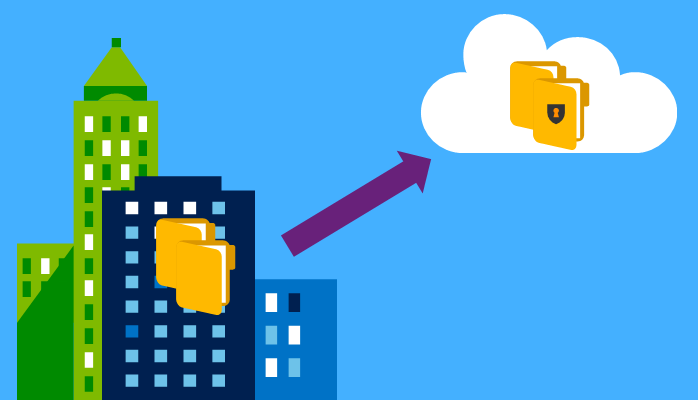
Microsoft Azure’un kurtarma servisleri arasında yer alan Azure Backup, daha çok tesis dışı yedekleme amacıyla kullanılan basit, güvenilir ve bulutla bütünleşmiş bir yedek depolama hizmetidir.

Azure Backup Nasıl Çalışır?

Azure Backup’ın çalışma mantığı basittir. Windows Server veya DPM Server ile entegre olduğu durumlarda sistem üzerine yüklenen bir Agent yardımıyla belirlediğiniz verileri, belirlediğiniz sıklıkta Azure Backup Vault içerisine transfer eder.
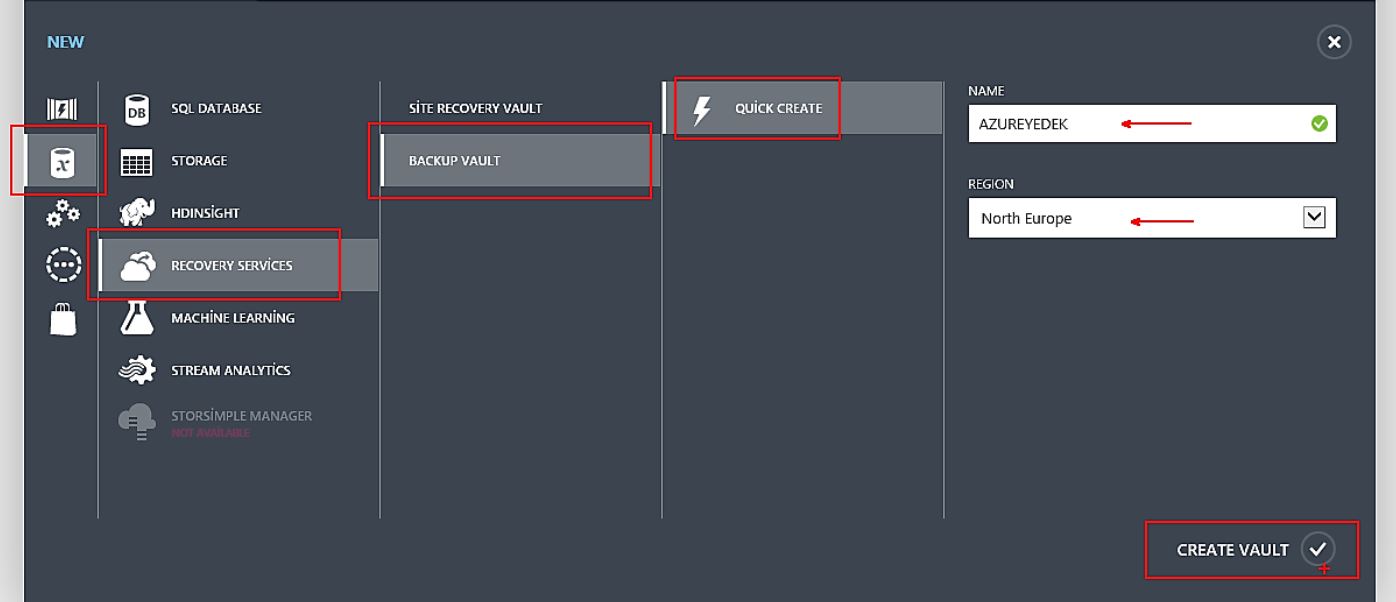

Azure portal’a giriş yapıldıktan sonra  New – Data Services – Recovery Services – Backup Vault – Quick Create – Create Vault sırasını takip ediyoruz.


AZUREYEDEK isimli backup vault oluşturuyoruz.
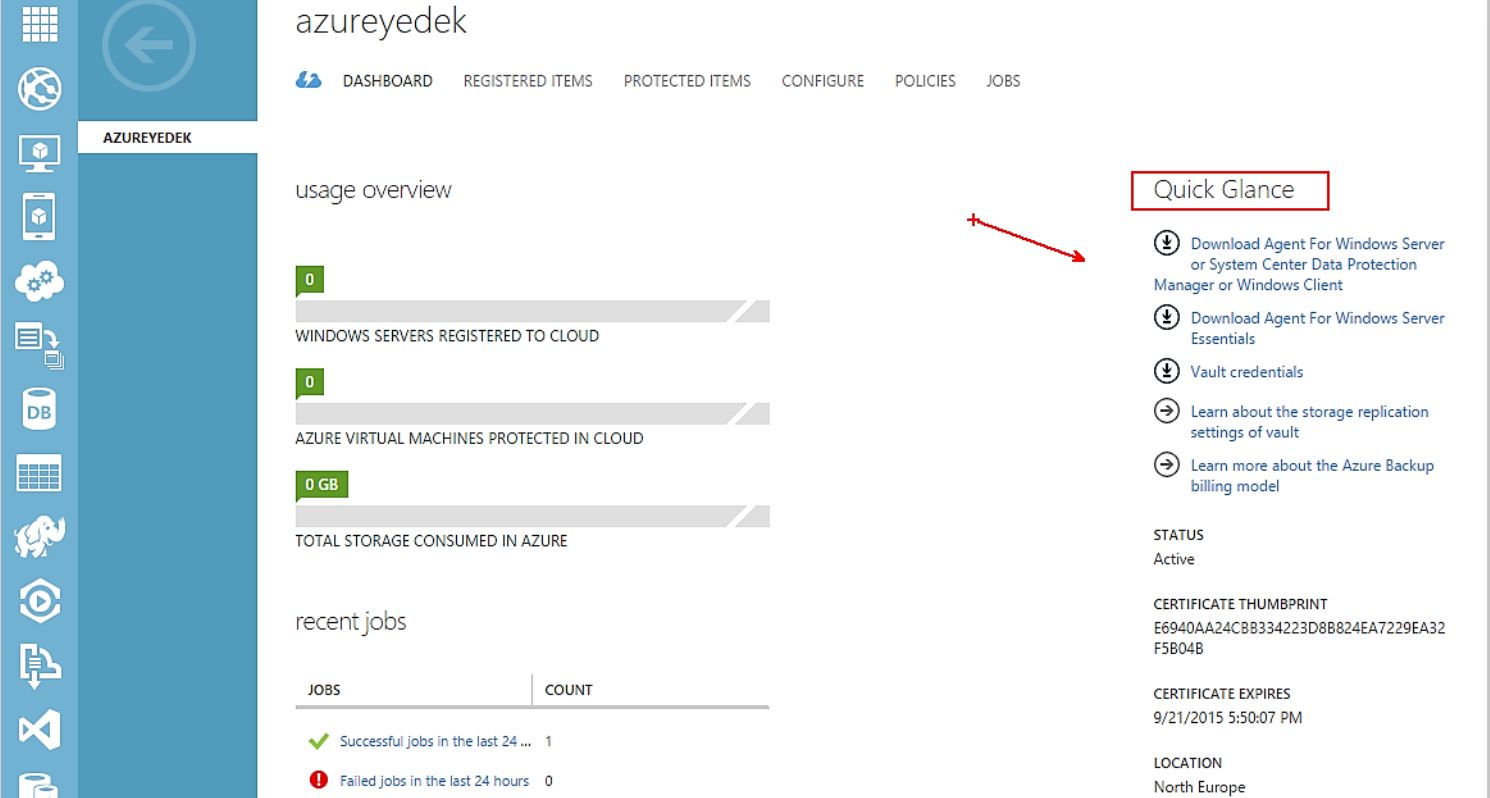

Daha sonra Azure Dashboard ‘a geliyoruz.Quick Glance bölümünden Agent’imizi ve Vault credentials indiriyoruz.

Windows Server 2012 R2 sunucumuza Agent kurulumu yapacağız.İlk olarak masaüstüne indirdiğimiz Agent’imizi yönetici olarak çalıştırıyoruz.
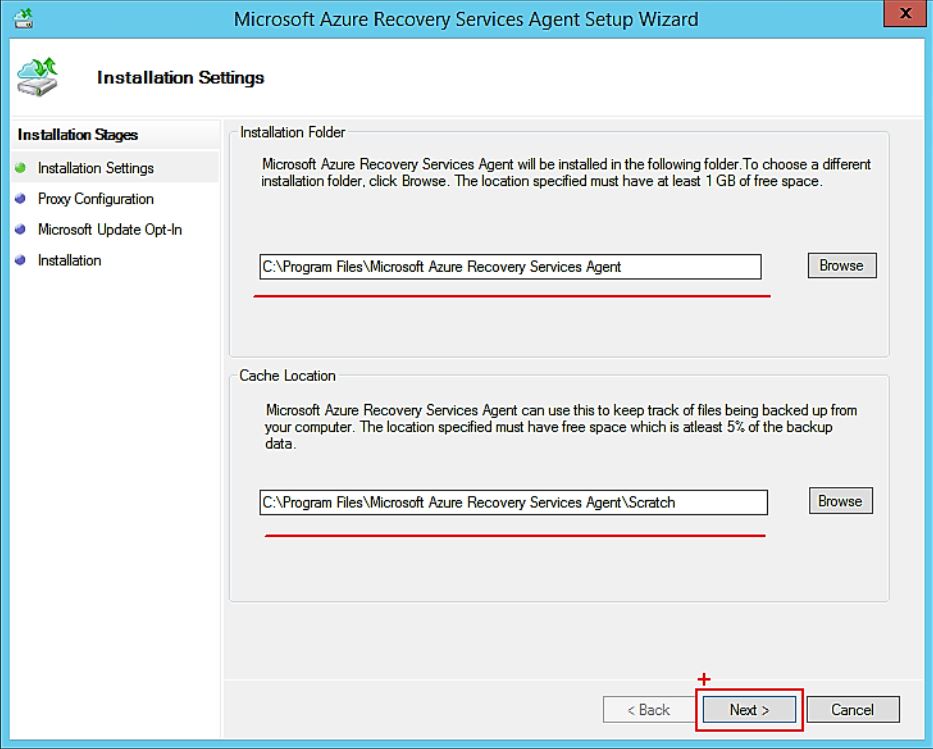

Karşımıza gelen pencerede kurulum dosyalarının nerede bulunacağını görüyoruz. Next diyerek ilerliyoruz.
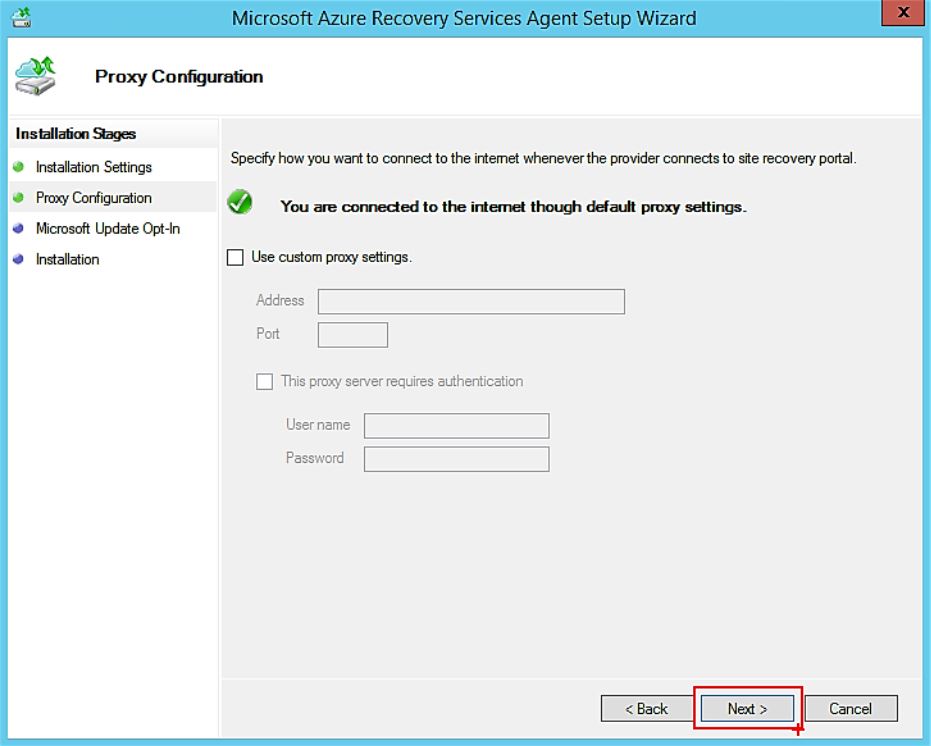

Herhangi bir proxy kullanmayacağım. Next diyerek geçiyorum.
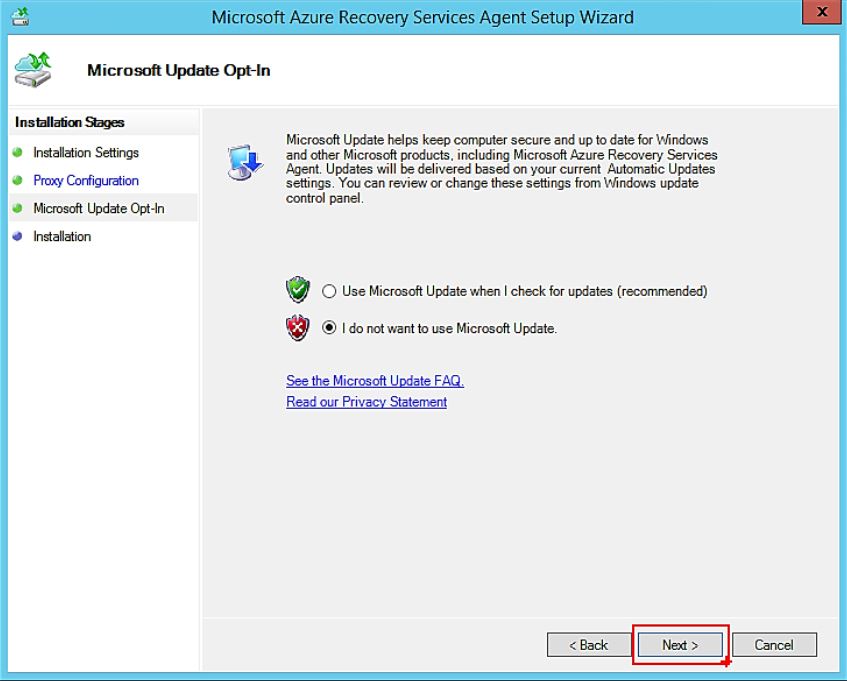

Update’leri şimdi yapmıyorum.Next diyorum.
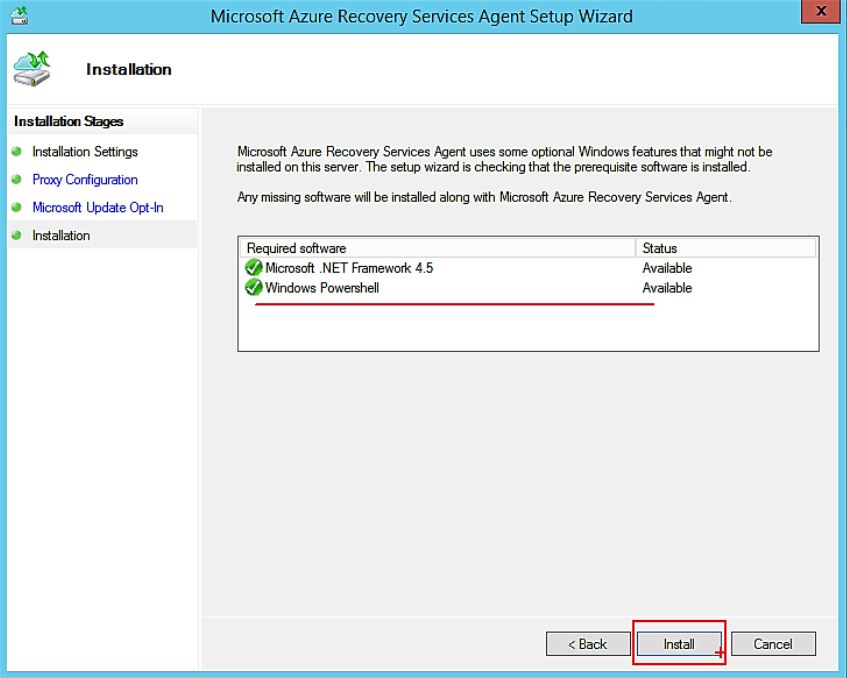

Kurulum öncesinde. Net Framework 4.5 ve powershell olması gerekir. Install butonuna tıklıyoruz.
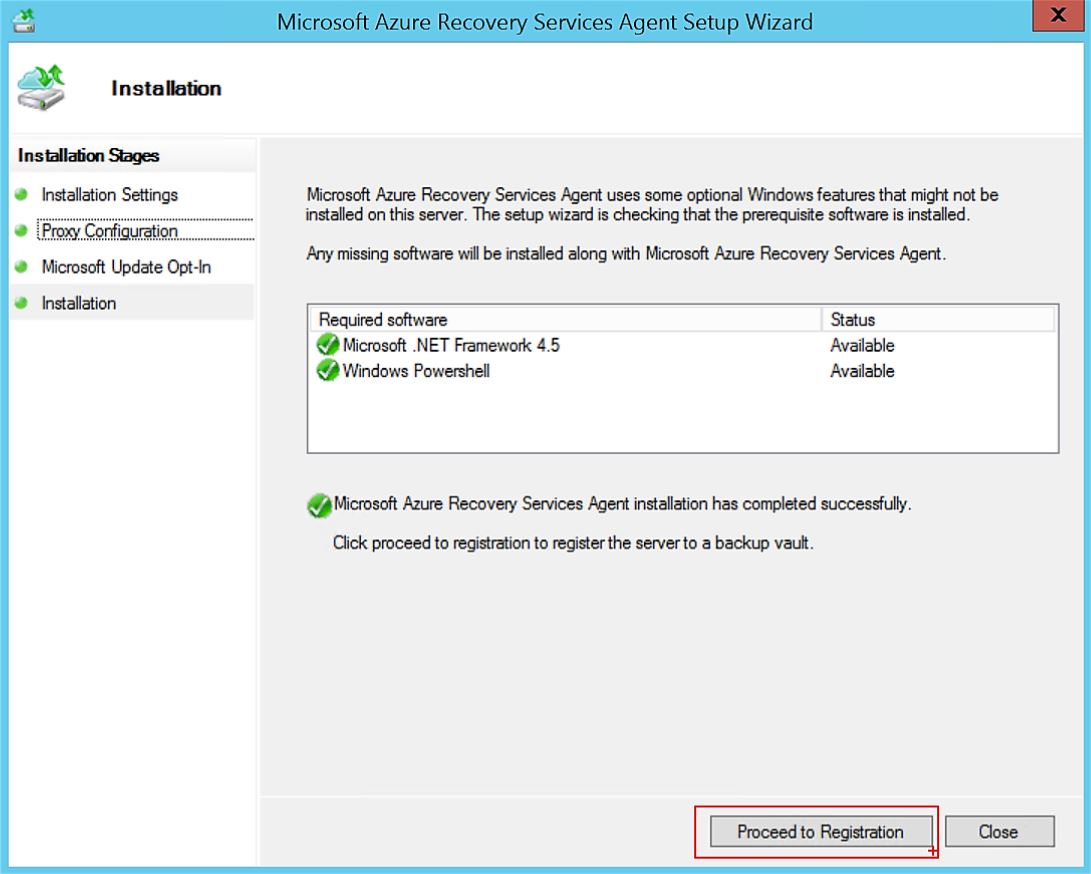

Kurulum bittikten sonra Proceed to Registration butonuna tıklıyoruz.
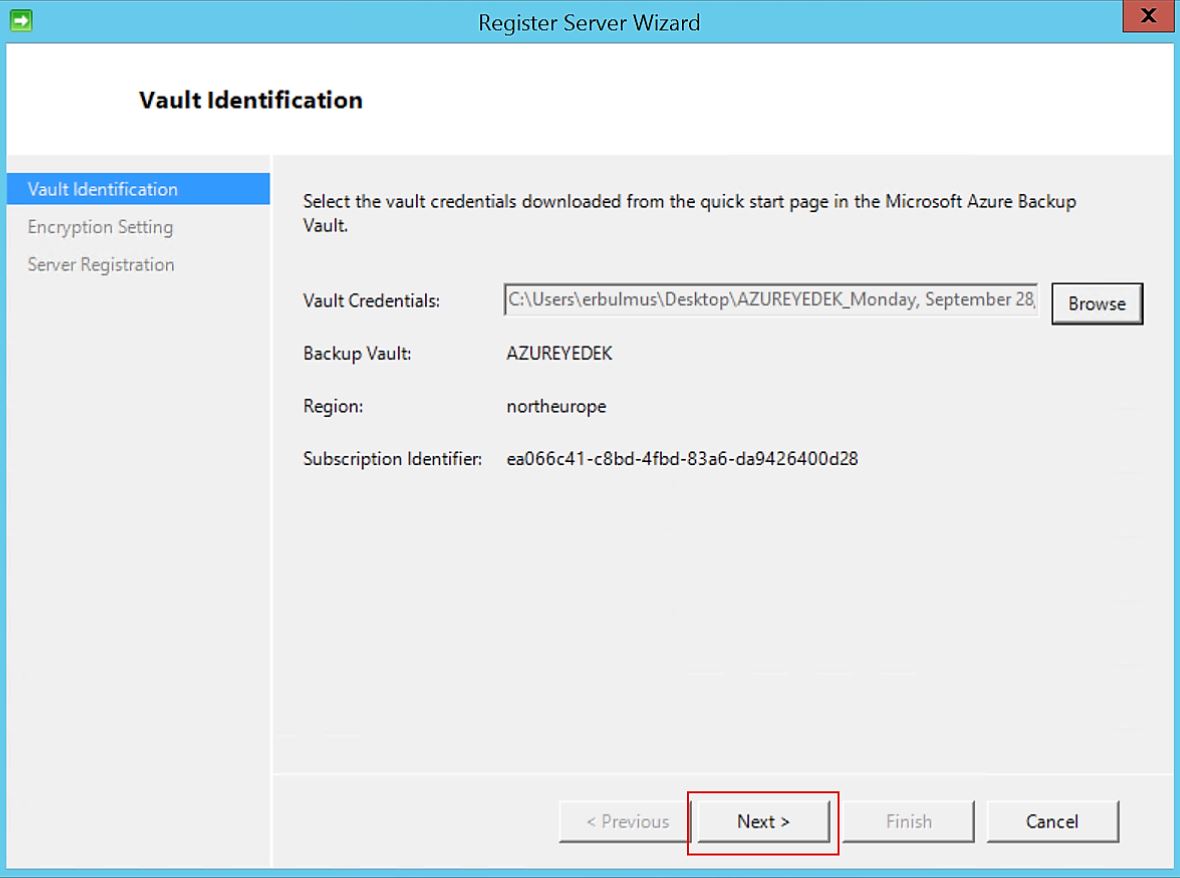

Azure Portal’ından indirdiğimiz Backup Vault Credentials dosyasını browse’den ekliyoruz.
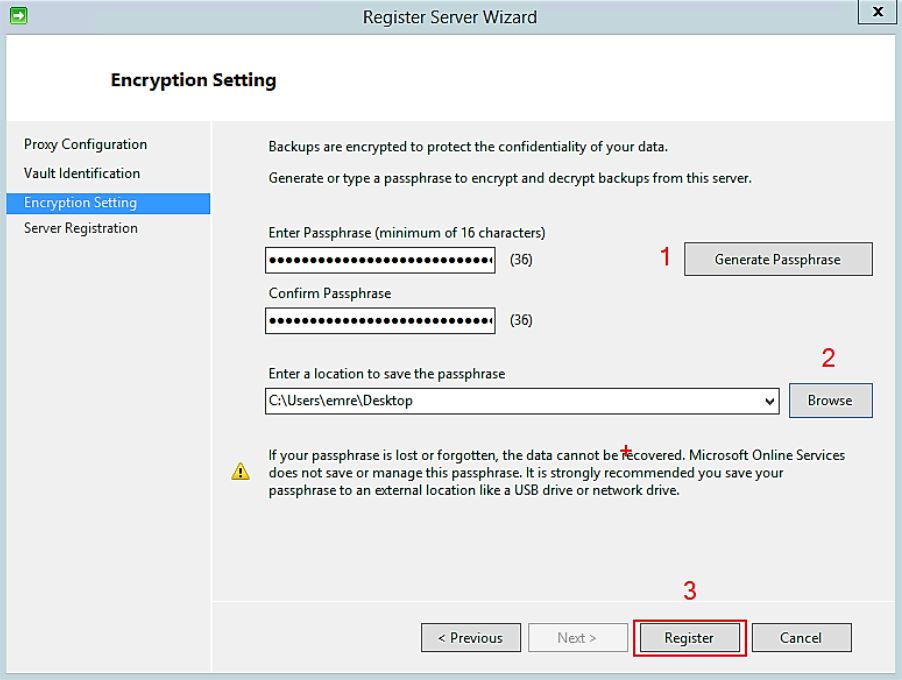

Encryption setting bölümünde ise Generate Passphrase butonuna tıklıyarak otomatik şifre oluşturuyoruz.Bu oluşturduğumuz şifreyi ise masaüstüne ekliyoruz. Finish ‘e tıklıyoruz.
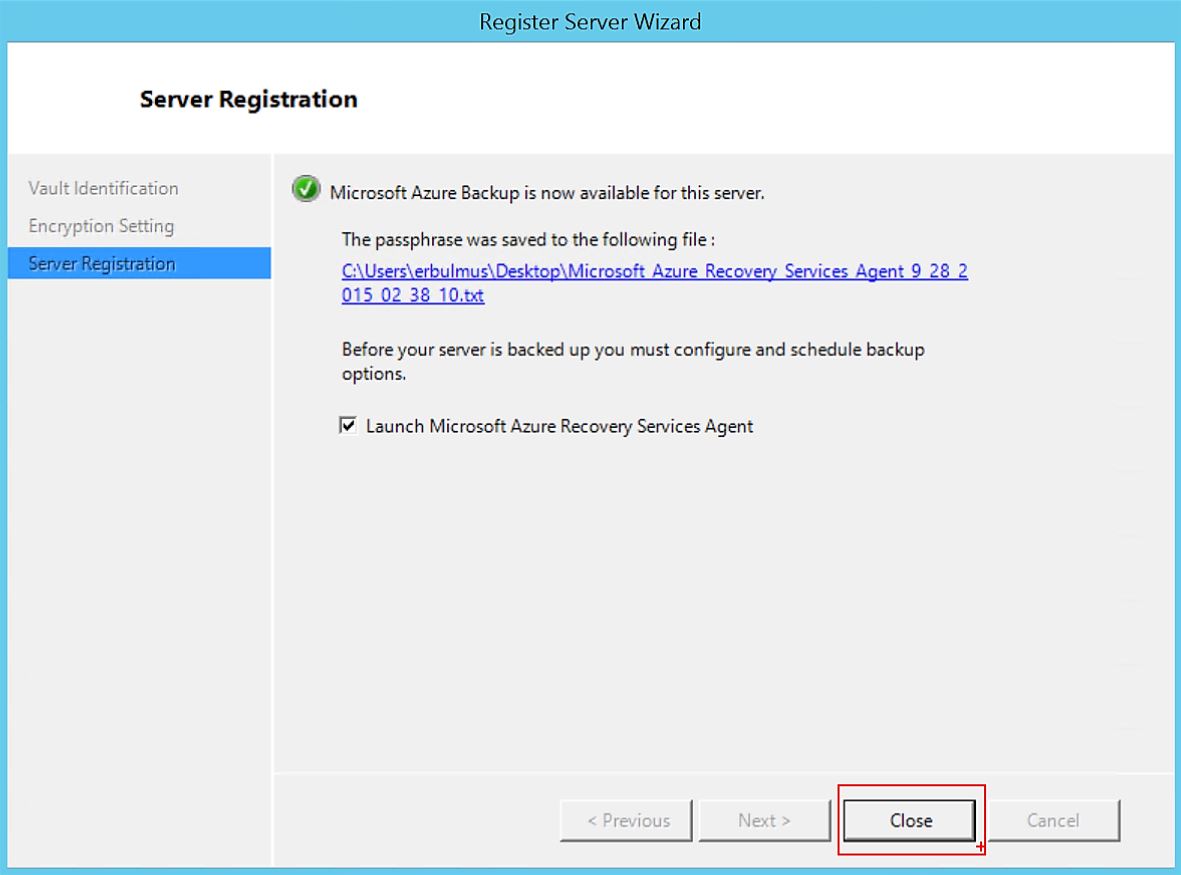

Microsoft Azure Backup kurulumu başarılı bir şekilde tamamlanmıştır.
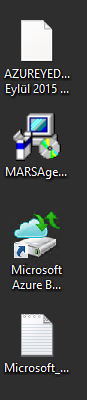

Masaüstüne oluşmuş Microsoft Azure Backup simgesine çift tıklıyoruz.
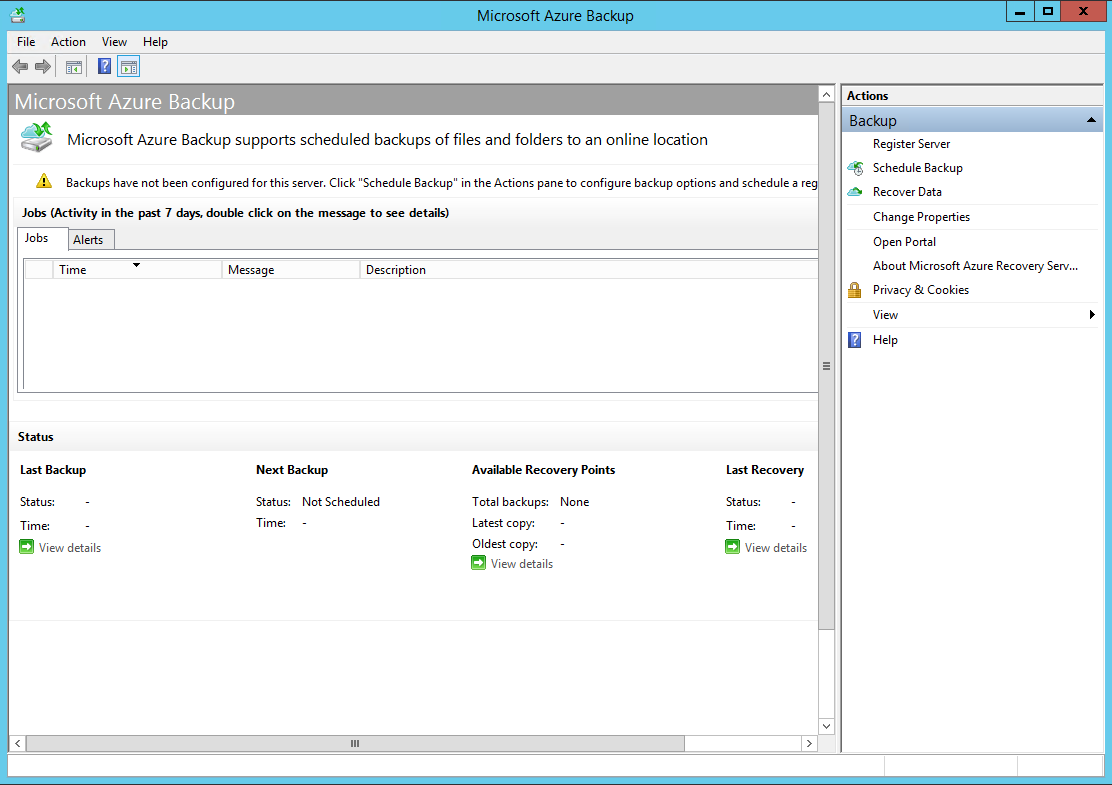

Microsoft Azure Backup – Action bölümünden Schedule Backup tıklıyoruz. 
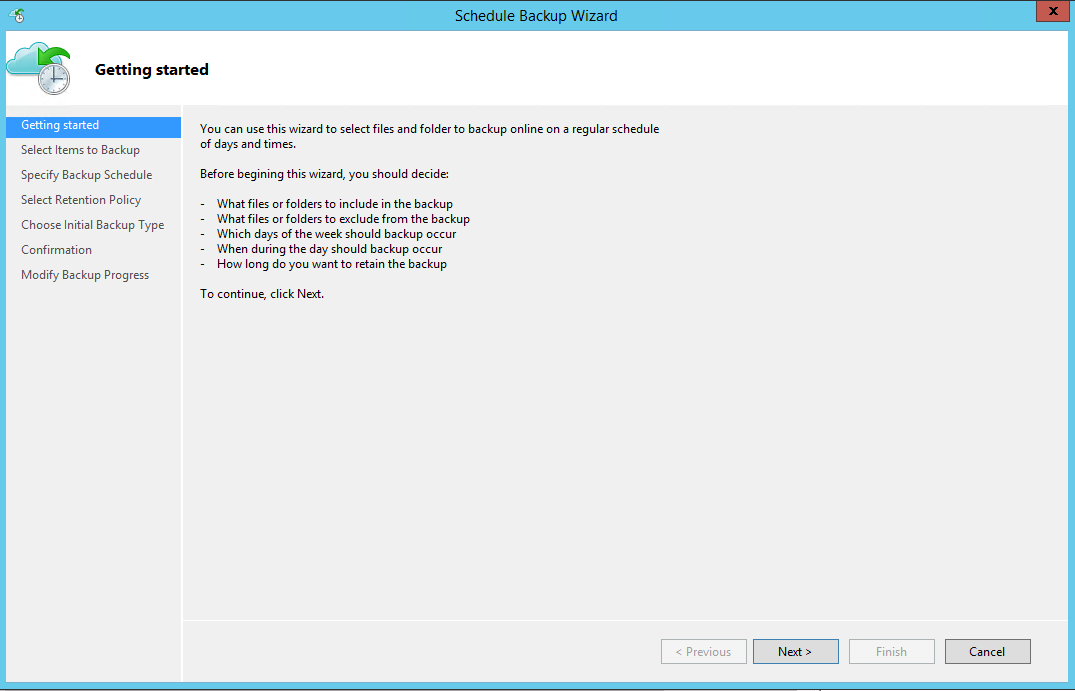
Next diyoruz.
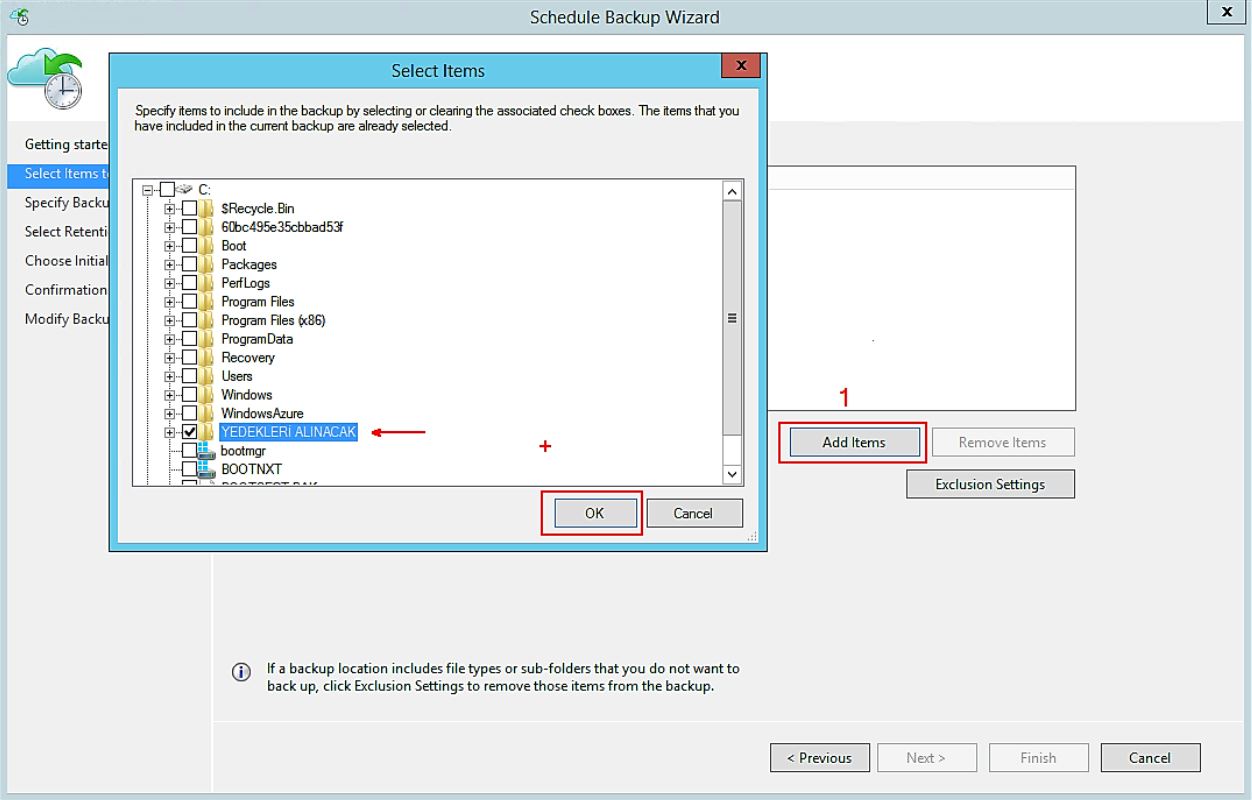

Bu pencerede ise Add Items tıklıyoruz. Backup alınacak dosyayı belirtiyoruz.
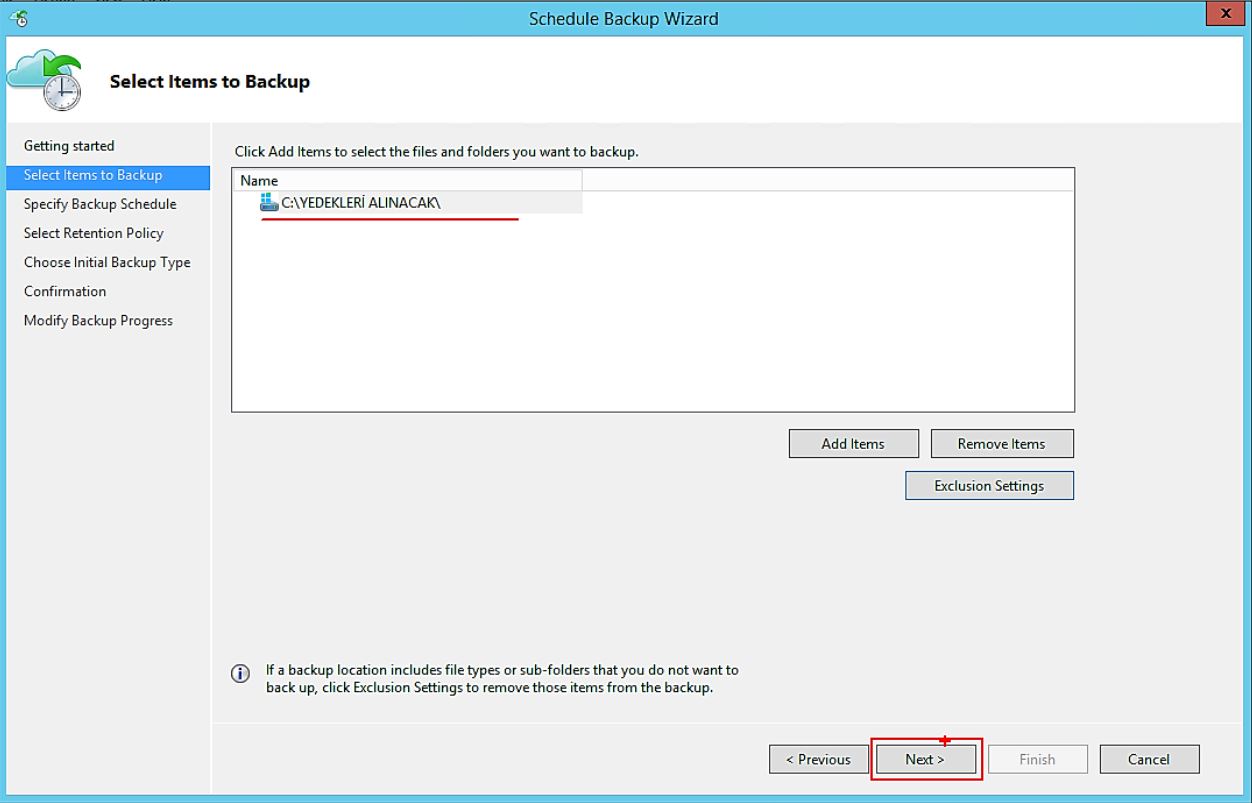

Next diyerek ilerliyoruz.
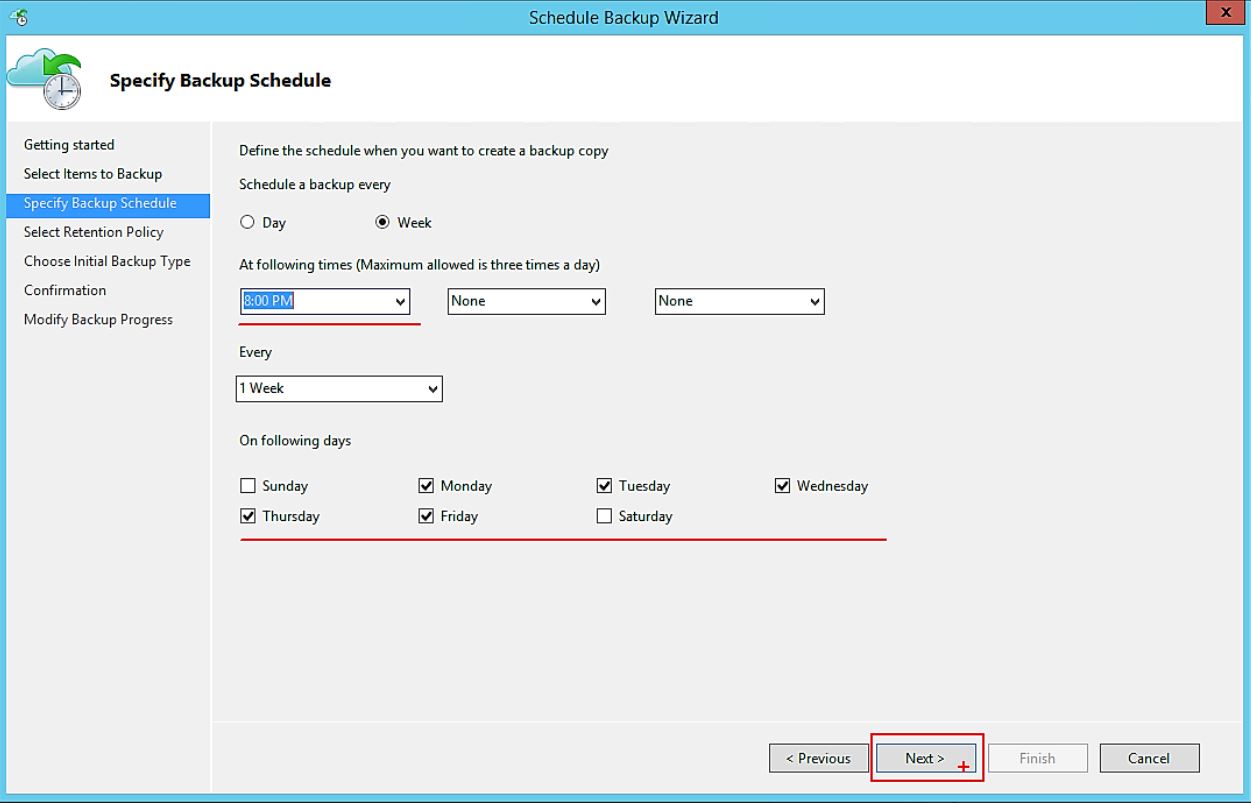

Backup alınacak saat ve günü belirleyebiliyoruz.
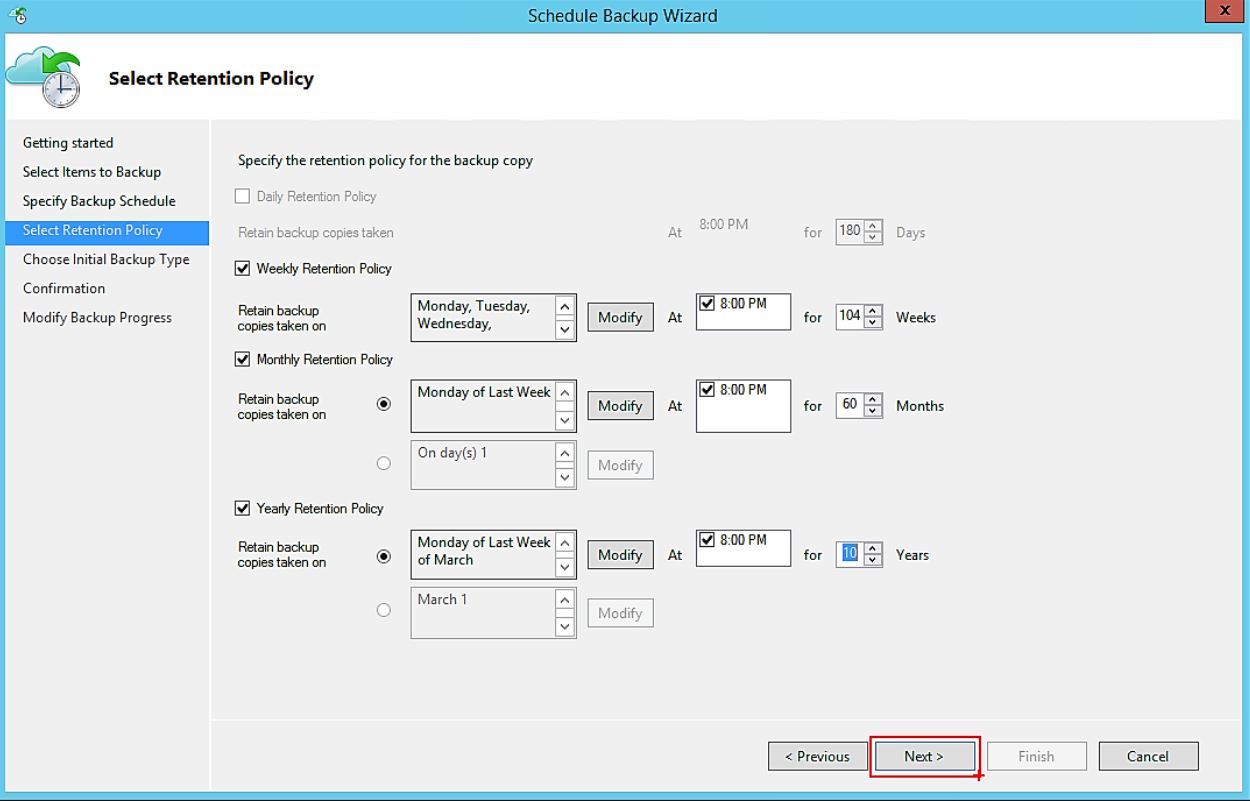

Yedek aldığını günleri haftalık, aylık ve yıllık olarak modify edebiliyoruz.
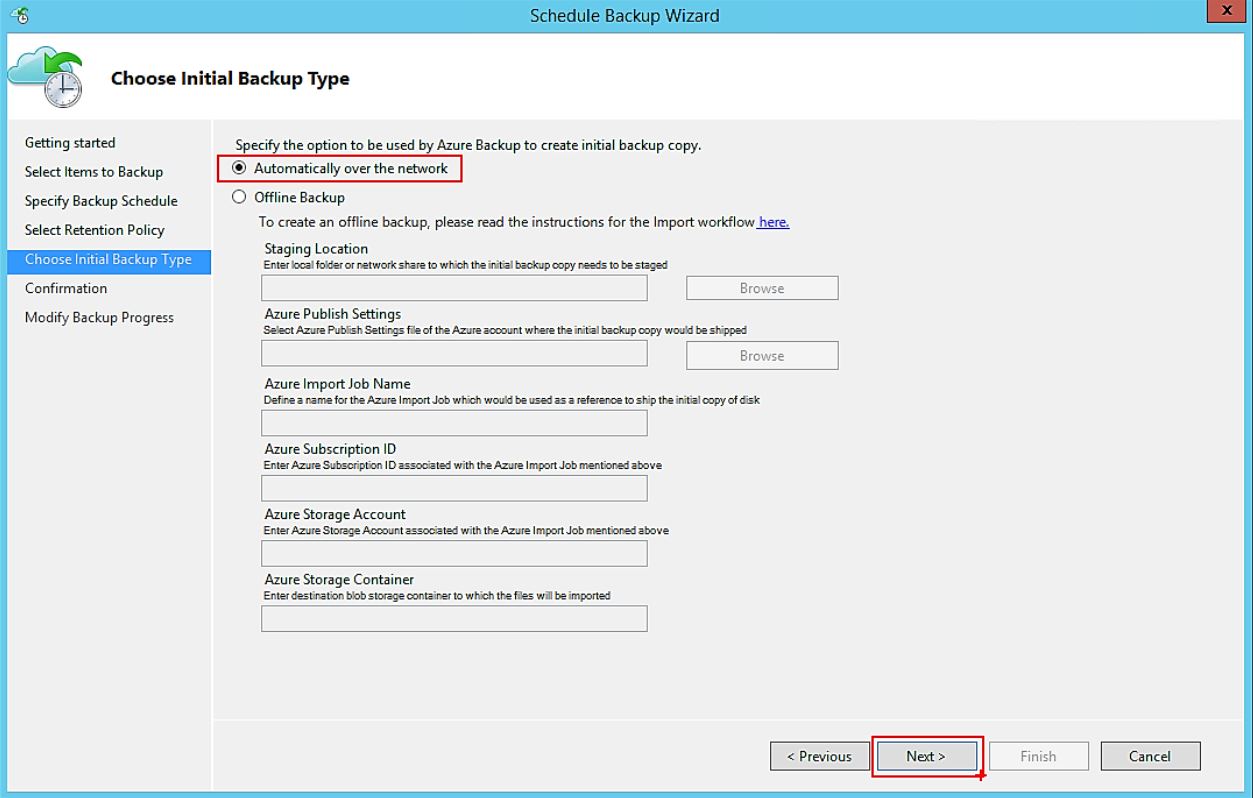

Next diyerek ilerliyorum.
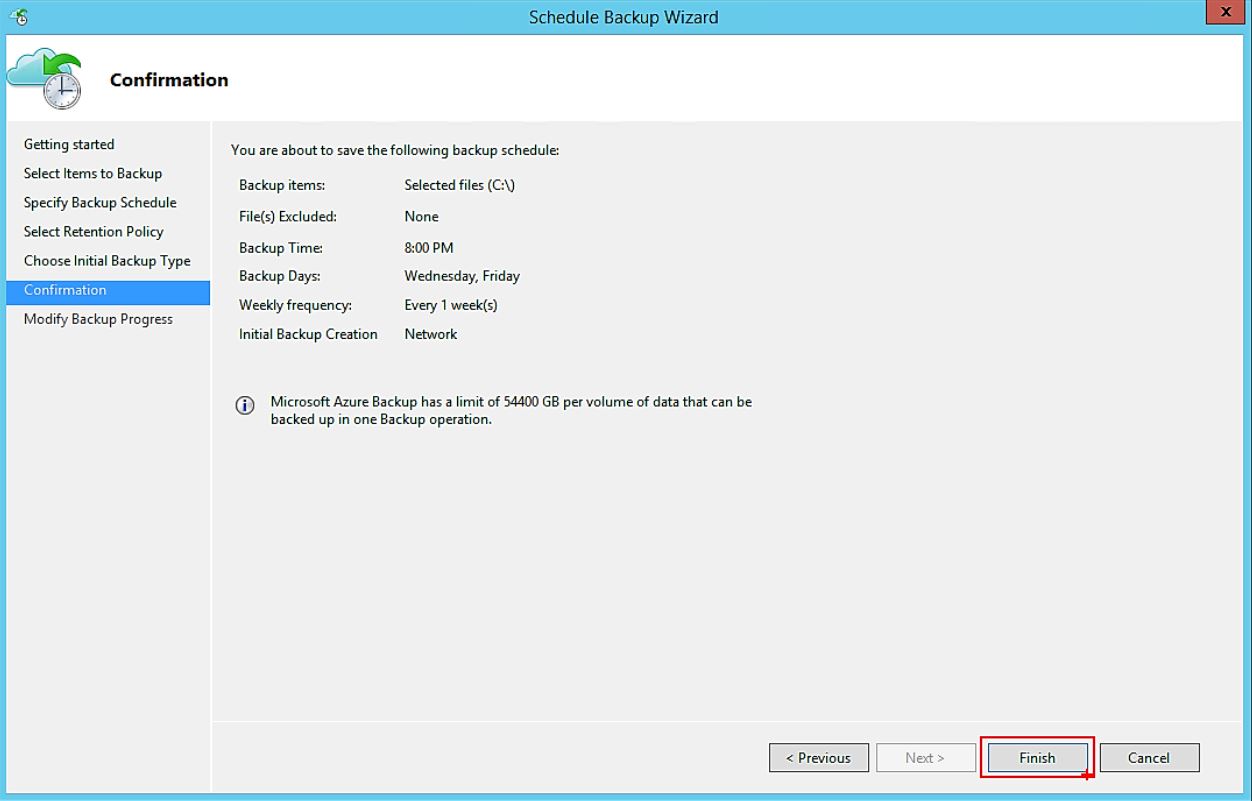

Finish diyoruz.
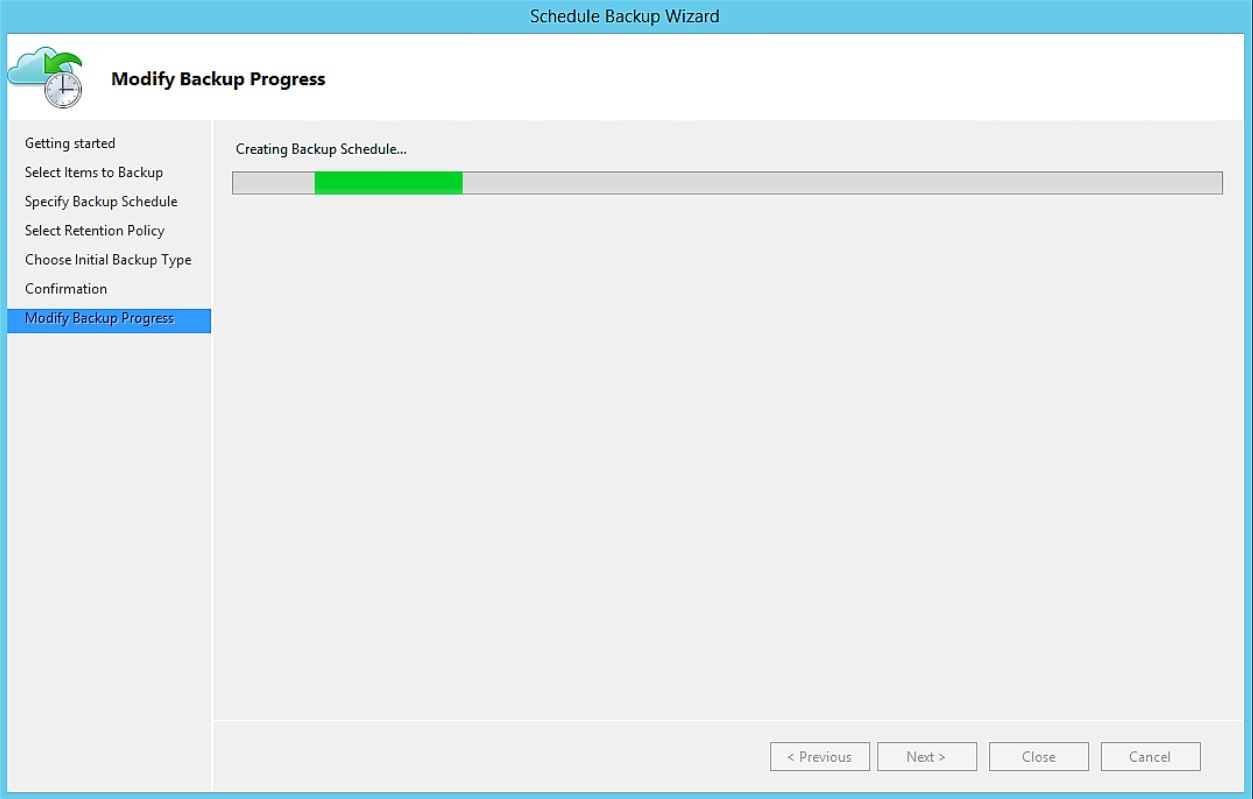

Backup’ı başlatıyoruz.
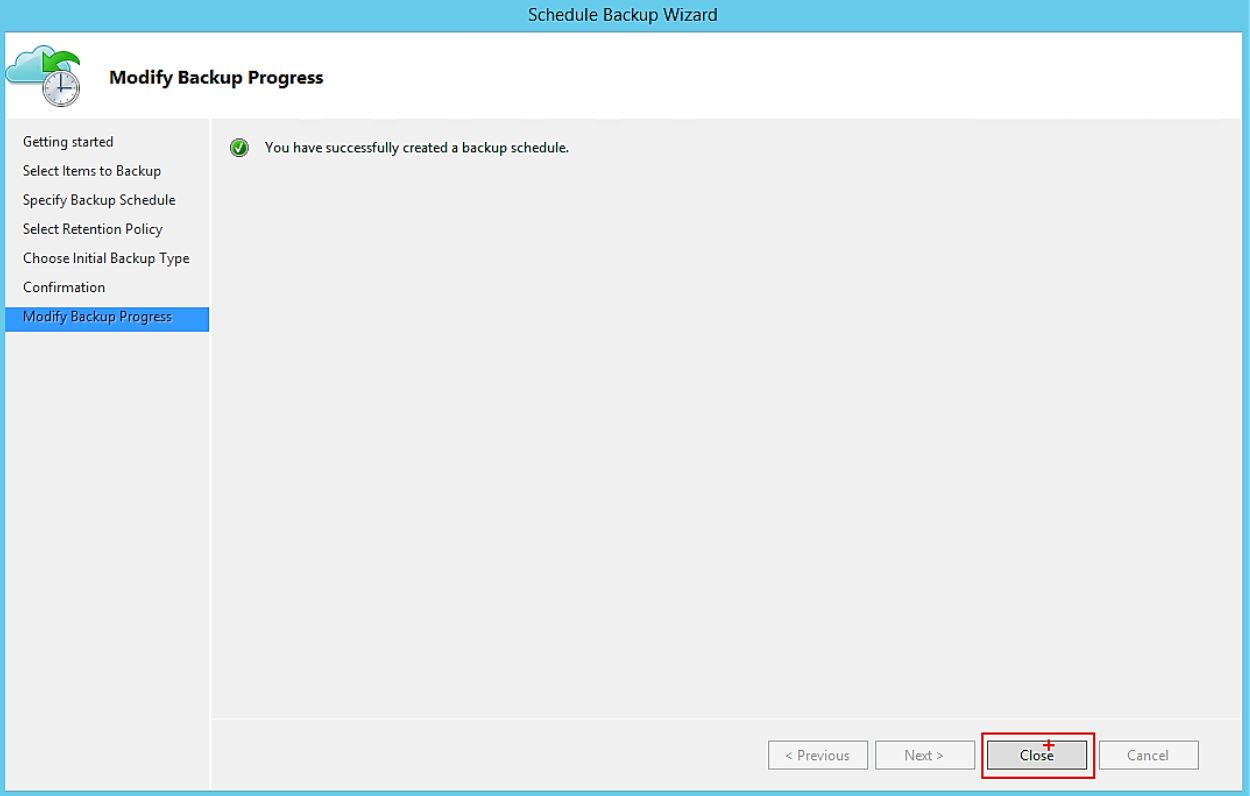

Backup hazırlama işlemimiz başarılı bir şekilde tamamlanmıştır.
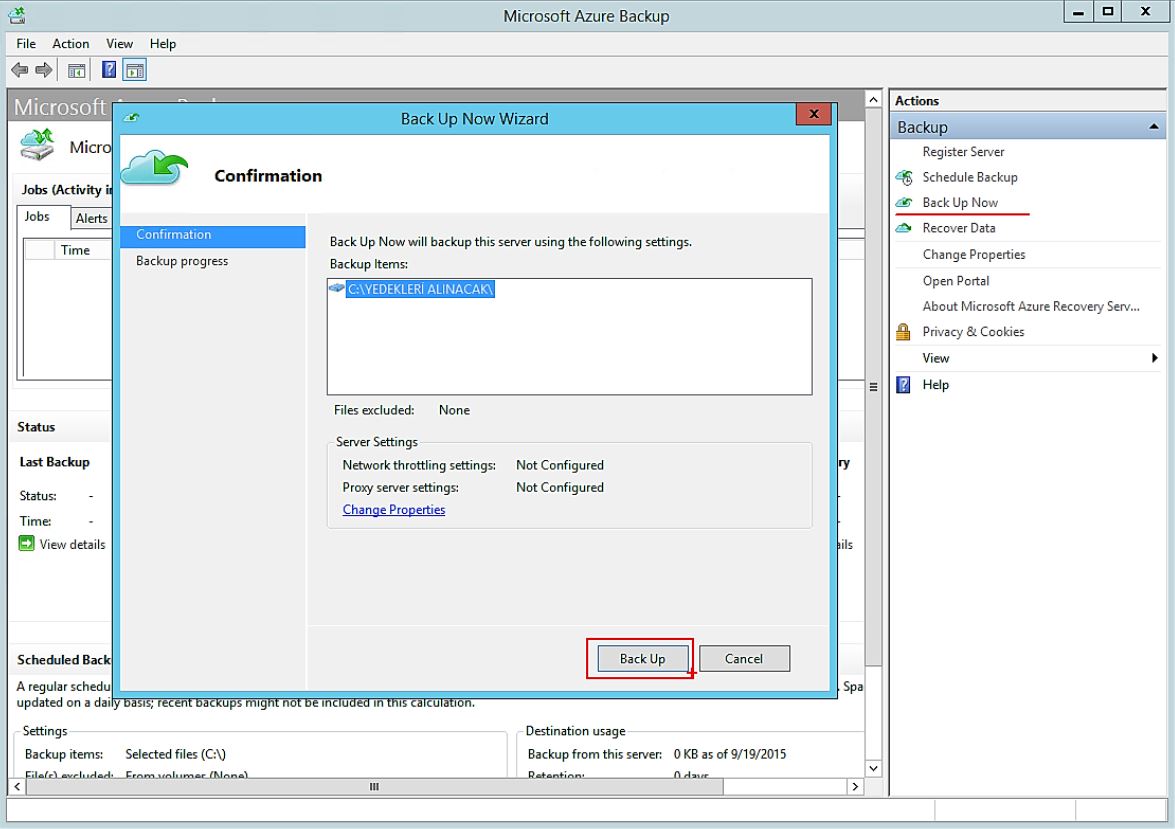

Microsoft Azure Backup – Action kısmında BackUp Now diyoruz.
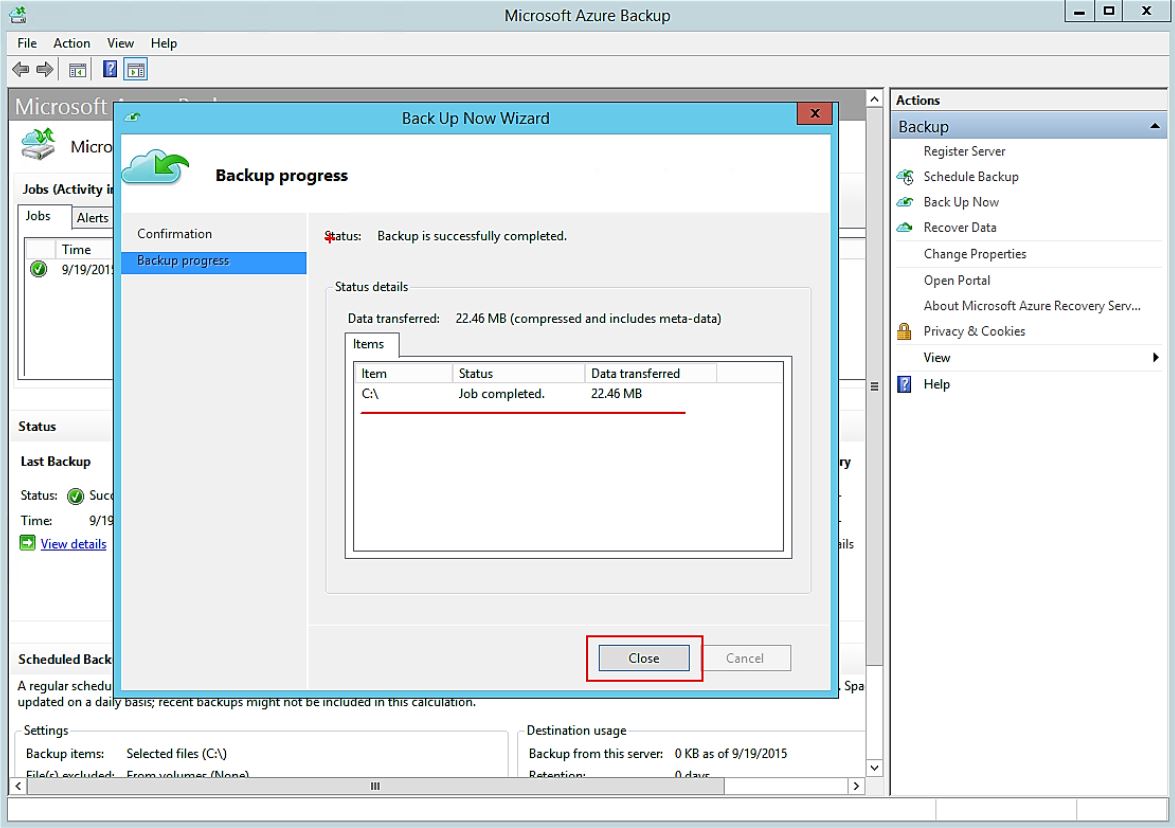

22,46 mb’lik backup işlemimiz tamamlandı.
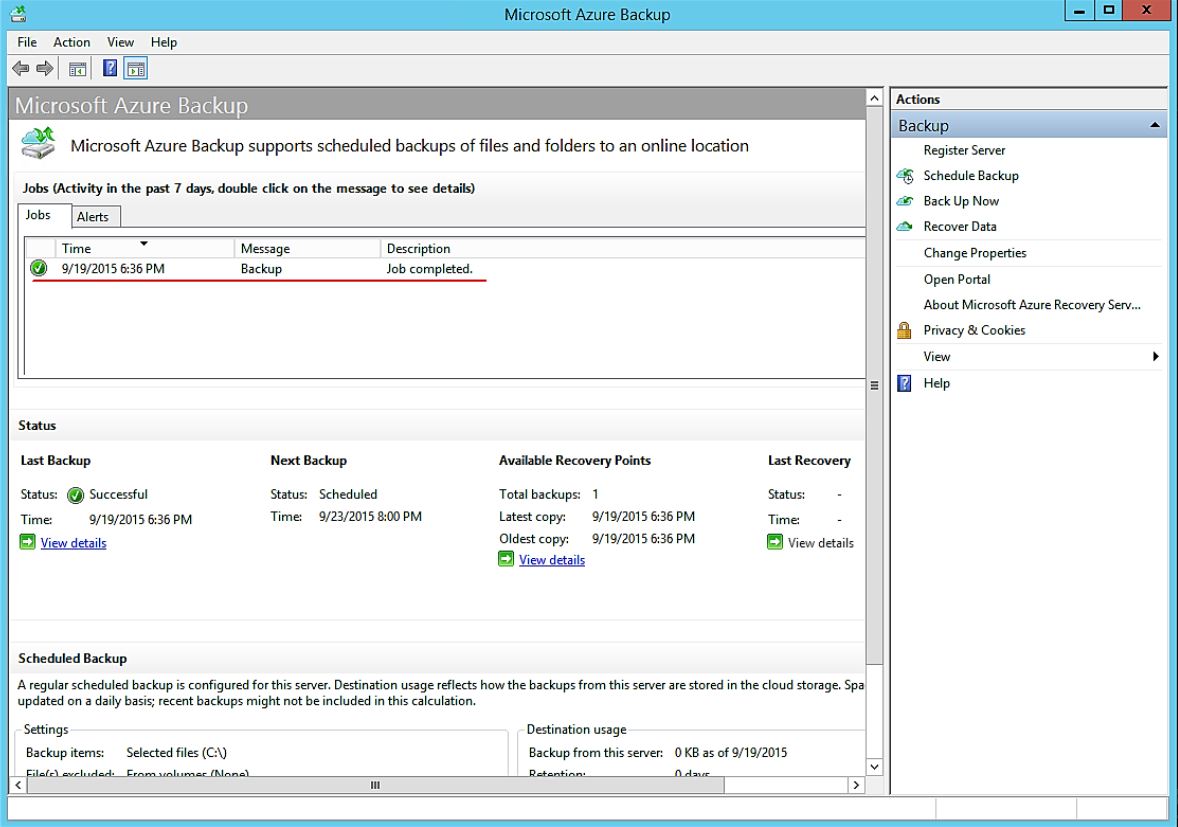

Azure Backup işlemini başarılı bir şekilde almış bulunuyoruz.

Teşekkürler.

I was born in Istanbul. I completed my high school education in system network engineering, my university studies in Computer Technology and Programming Sciences, and earned a four-year degree from Anadolu University. As an experienced technology consultant, I have gained extensive experience in the field of information technology for over 10 years. I have worked in both large corporate companies and small-scale startups, specialising in providing strategic technology solutions to clients across various industries. During this time, I have developed into a determined and reliable IT consultant, covering the entire technology field, including project management, training, and pre- and post-sales support for corporate solutions. I have both individual and team-based experience in management, implementation, and design in areas such as cybersecurity, endpoint security, data security, cloud migration, and infrastructure. As a result, I always use the phrase “It can be better” in every situation I encounter. I currently work as a “Cyber Security Principal Expert ☁” at Koçsistem, Microsoft’s top partner. My skills and abilities Cloud Computing Architecture Microsoft 365 Migration and Management Azure Infrastructure Modern Workplace Digital transformation Microsoft 365 Exchange Online EOP ( Exchange Online Protection) Microsoft Defender for Office 365 Microsoft Defender for Endpoint Microsoft Defender for Cloud Apps Microsoft Defender for Cloud Microsoft Defender for Identity Microsoft Intune Microsoft Sentinel Microsoft Teams Hybrid Solutions Mobile Device Management and Mobile Application Management. Data Loss Prevention and Protection Microsoft Information Protection Cloud Identity and Access Management Solution MS Windows Server Family Microsoft Client Windows 11 Management of Hyper-v and VMware Virtualization Platforms Active Directory configuration and management Exchange Server configuration and management Veeam Backup installation and configuration WDS,MDT configuration and management Certificates ; MCT: Microsoft Certified Trainer 2019-2020 MS: Designing and Providing Microsoft Volume Licensing Solutions to Large Organizations MCTS: Designing, Assessing, and Optimizing Software Asset Management (SAM) MCPS: Microsoft Certified Professional MCSA: Windows Server 2012 MCSE: Private Cloud WMSP: Veeam Sales Professional VMTSP: Veeam Technical Sales Professional Coursera-Cybersecurity Solutions and Microsoft Defender Coursera-Cybersecurity Management and Compliance Google – Google Professional Cloud Architect

Bir yanıt yazın

E-posta adresiniz yayınlanmayacak. Gerekli alanlar * ile işaretlenmişlerdir